
Editor Tutorials
Step-by-step guides for managing your website content. Use these as a reference when updating your site.
Every page on your site is made up of stackable sections called "Blocks".
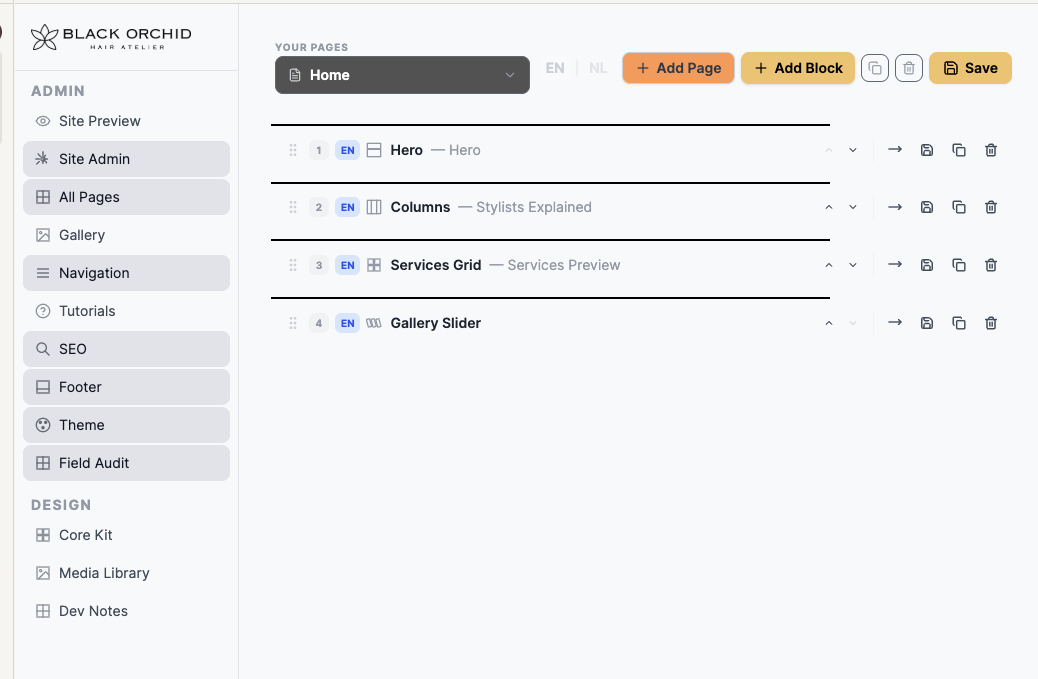
- Click on All Pages in the left admin sidebar.
- Click on the page you want to edit (e.g., Home, About, Contact).
- You will see a list of the blocks that make up this page in order from top to bottom.
- Click on any block to expand it. You can now edit the text, images, and settings inside that block.
- When you are happy with your changes, click the Save Page button at the top or bottom of the screen.